🍀 Spring Sale 2026! Up to 50% Off
NovoNotes
Limited-time free until 5/31

Snipe the Peaks

Transparent loudness, precise curve control

Get it free
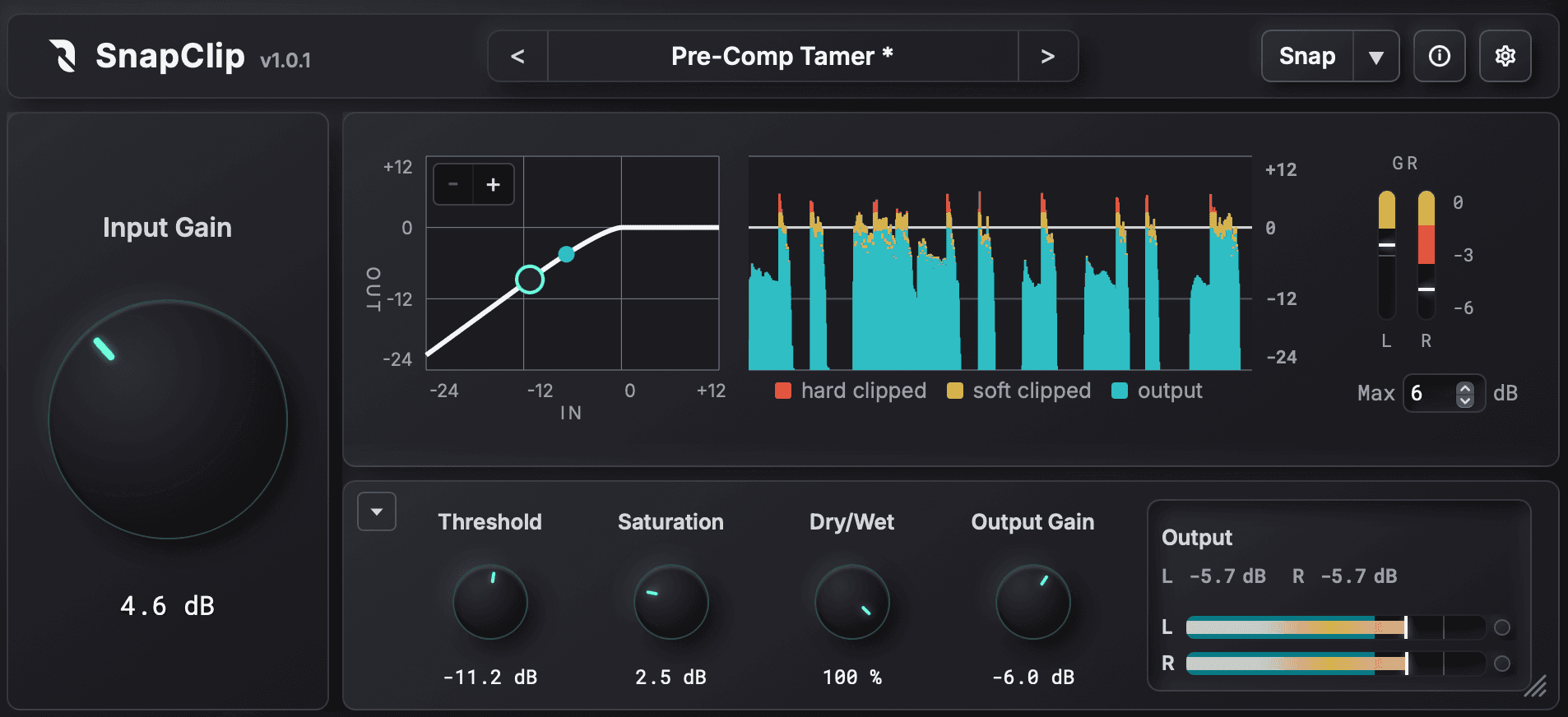
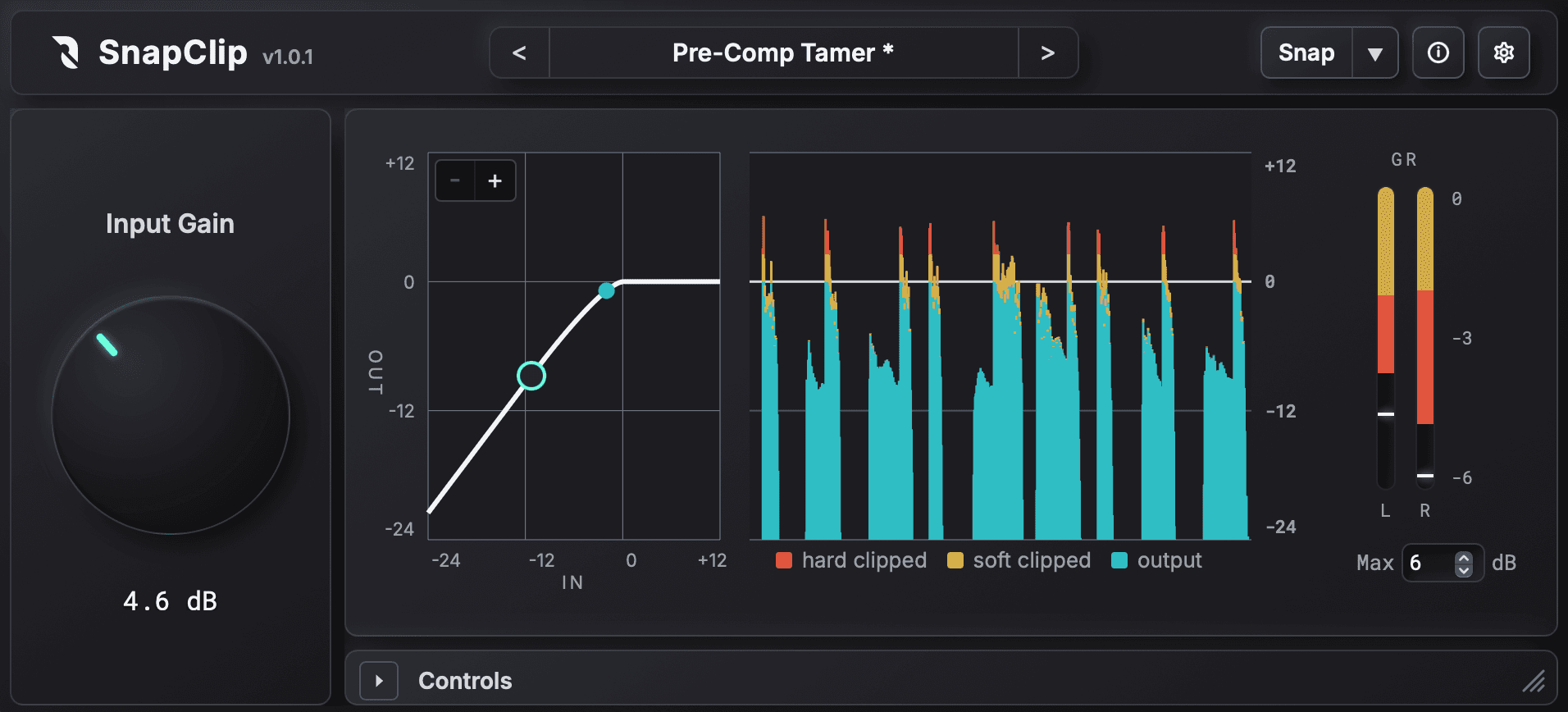
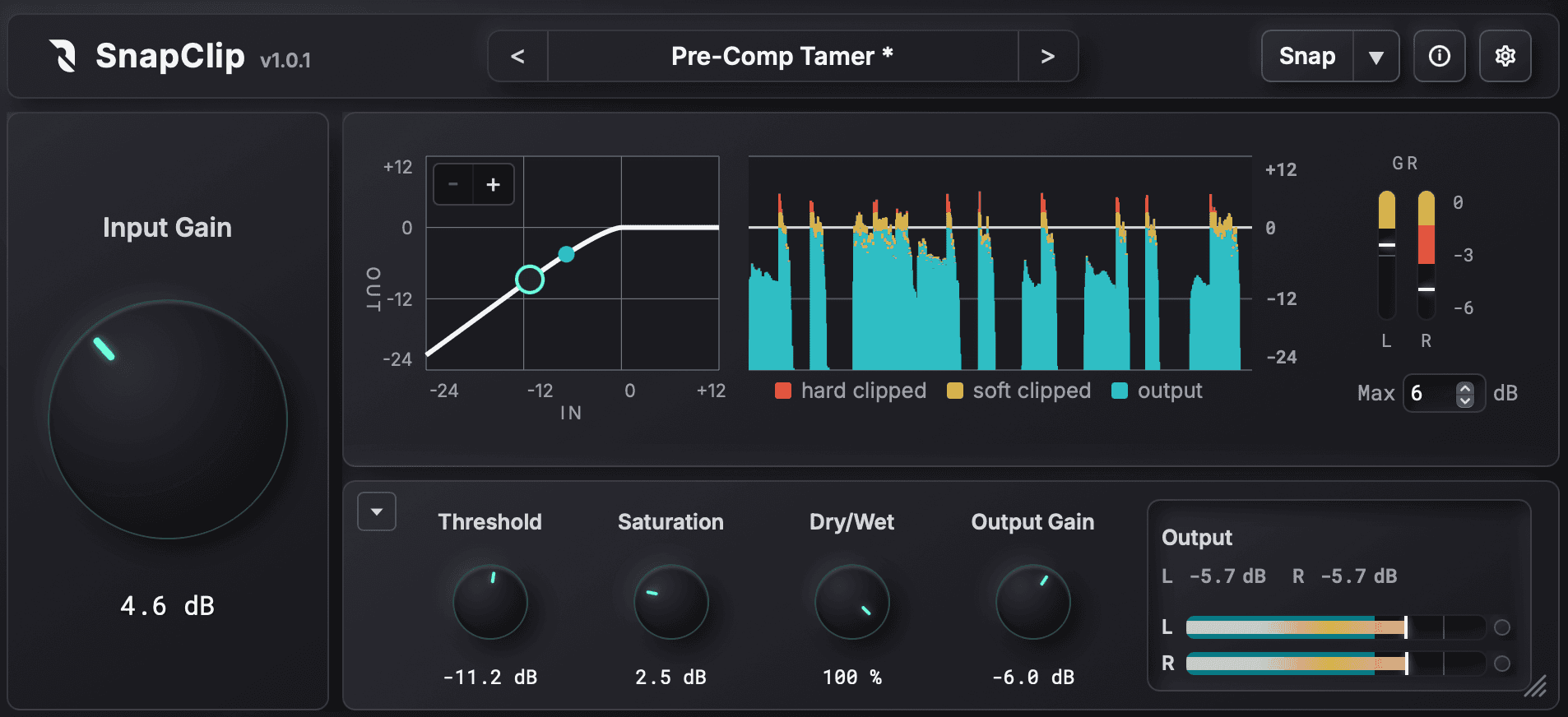
SnapClip plugin UI preview

Four advantages that change your mix

Clippers can boost track loudness and punch without crushing transients, which has made them an essential tool in modern music production. SnapClip is a next-generation clipper that combines intuitive sound shaping via graph control and detailed metering with state-of-the-art ADAA anti-aliasing.

/ 01

Transparent loudness boost with enhanced punch

SnapClip never adds distortion below the threshold and targets only the peaks with precision. Unlike compressors, there is no unnatural loudness fluctuation from attack/release time, so the original transient and attack are preserved.

/ 02

Uncompromising clarity on every track

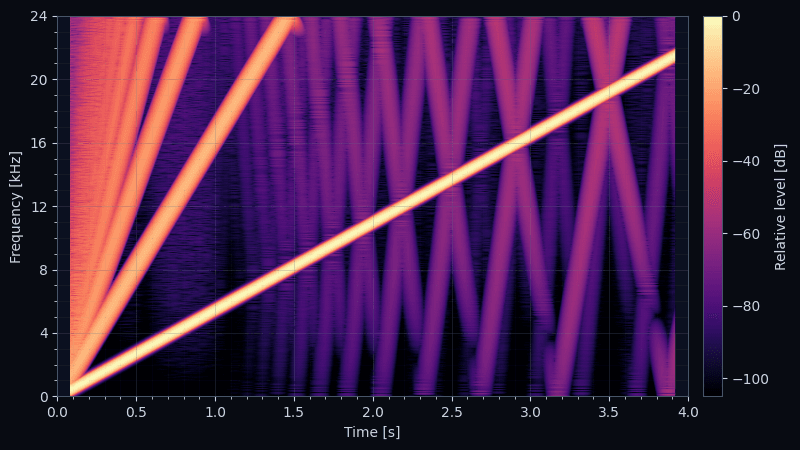
Built around up to 16x oversampling and the next-generation DSP technique "ADAA." High-quality processing that previously had to be reserved for the master bus or offline rendering can now run with low CPU load, even when inserted on many tracks.

/ 03

See it. Hear it. Shave it precisely.

Highly visible meters and waveform display let you precisely control the amount of soft and hard clipping. Instead of "it just sounds better," you hear the result you intend.

/ 04

Skip the setup with Snap Adjust

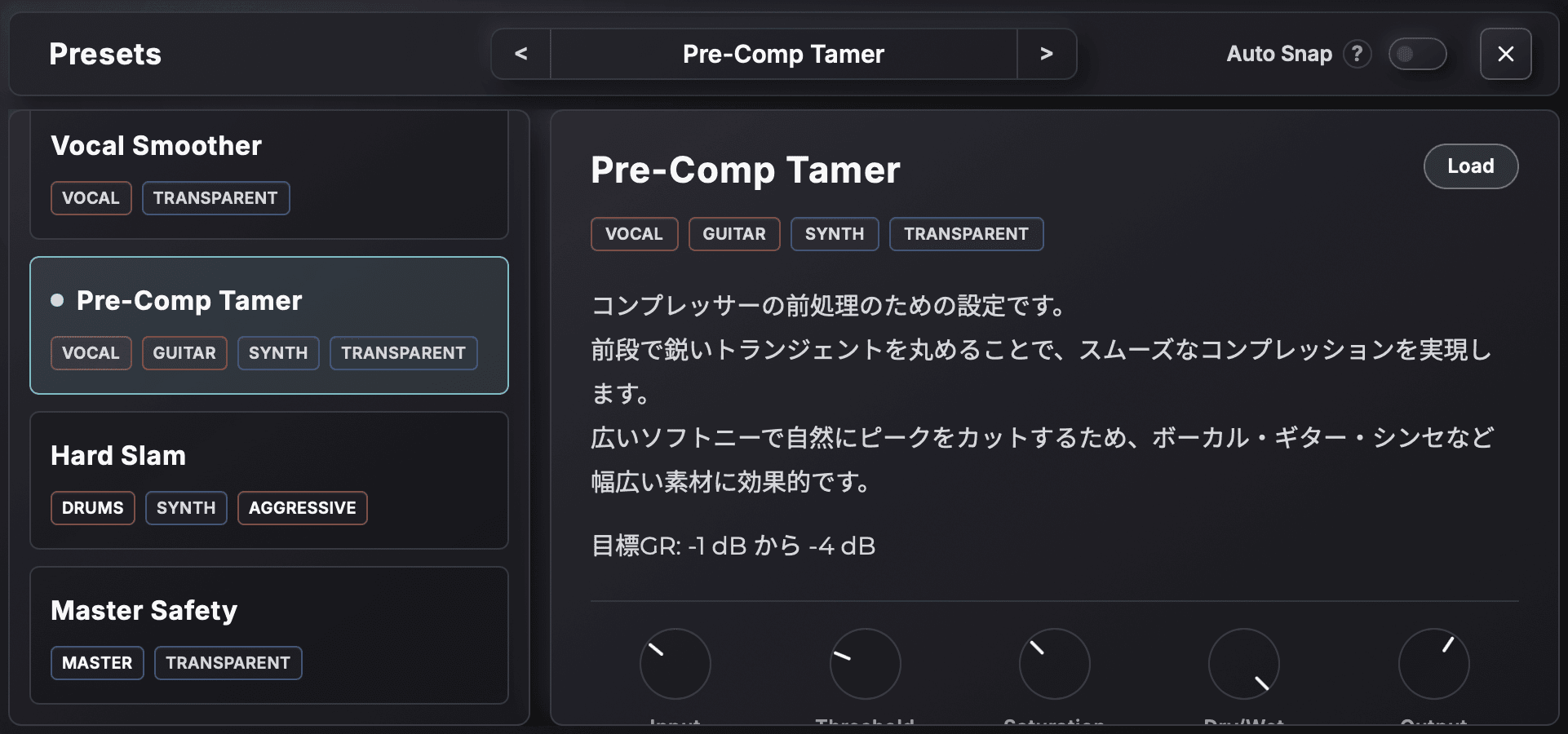
Specify a recent peak history window and target reduction, and SnapClip back-calculates Input Gain, Saturation, and Threshold in one step. It removes mechanical setup so you can focus on musical adjustments. This is not AI or auto-mastering — parameter values are determined deterministically by math.

Hear the difference for yourself

Player controls

Peak normalized
Toggle SnapClip On/Off to compare the change in loudness
Loudness match
Listen for the transparency of the processing and any change in attack or tone

Drum bus

An example of trimming peaks and gaining loudness while preserving attack. With Loudness match, confirm that the impact on attack and tone is minimal and the processing is transparent.

0:000:00
SnapClip On
Loudness match

Bass

Adding light harmonics to give presence and thickness while shaving the peaks. This example is intentionally set to color the tone.

0:000:00
SnapClip On
Loudness match

Club kick

Keeping weight and punch while shaping a sound that cuts through on a club system.

0:000:00
SnapClip On
Loudness match

Bass drum recording

Bringing the kick forward by trimming peaks while preserving the low-end core.

0:000:00
SnapClip On
Loudness match

The shortest path to effective loudness

STEP 1

Set the hard clip amount with Input Gain

Raise the input gain to shave off instantaneous peaks.

We recommend targeting only the sharp, spike-like transient peaks.

Red on the waveform display and reduction meter represents hard clipping.

STEP 2

Shape the soft-clip curve directly on the graph

Soft clipping is suited to gently shaving wider peaks.

Listen carefully and find a comfortable saturation point.

Yellow indicates the amount of soft clipping.

Uncompromising sound at low CPU load

-90% CPU load reduction

Compared to 256x oversampling. Achieves equivalent noise reduction by combining 16x oversampling with ADAA.

0 sample latency

Insert as many as you like without worrying about delay. Suitable for live and recording sessions.

Dry/Wet phase-safe mix

Completely avoids the comb-filter cancellation that occurs with naive bypass mixing.

Be sure to read our technical article. It includes detailed technical commentary backed by measurement results.

Go deeper into the design

Read our technical article for the DSP design behind the Soft Knee curve, ADAA, and the Dry/Wet phase compensation, with measurement results.

Read the technical article
4x ADAA spectrogram

Compare the two editions

The standard SnapClip is a focused edition that bundles the necessary features in a simple, easy-to-use form for specific use cases. It is designed especially for use across many tracks and on transient-focused material such as drums and kicks.

SnapClip

Available

For tracks, buses, and pre-compressors

  • Source-faithful design that does not affect signals below threshold
  • Up to 16x oversampling
  • ADAA On/Off switching
  • Snap Adjust for fast sound shaping
  • Minimum-phase design with no pre-ringing
  • Zero-latency design
  • Phase-compensated Dry/Wet mix
  • Channel support: mono / stereo

SnapClip Pro

In development / $59 planned

Strict quality controls for mastering

  • Linear phase / minimum phase switching
  • True Peak ceiling
  • Up to 256x oversampling (offline rendering only)
  • Gain Link or auto gain
  • A wider variety of clipping algorithms
  • Detailed Snap Adjust customization
  • Channel support: mono / stereo / multichannel

Specifications may change without notice while this edition is in development.

When to use Standard vs. Pro

The following is a rough guide. Standard is enough in many situations, but Pro is better suited to mastering and more critical finishing.

Electronic / synthesized
Acoustic / recorded
Track
Standard is fine
Standard is fine
Pro recommended for multi-mic material
Bus
Standard is fine
Pro recommended
Master
Pro recommended
Pro recommended

Frequently asked questions

It says "free" — are there really no charges?
It is completely free until 5/31. No credit card is required and there is no subscription. Download, enter the serial, and you have a perpetual license. We are offering it for free to get the product into the hands of more creators and to gather feedback for Pro development.
Will features be limited after 5/31?
No. Licenses obtained during the campaign can be used permanently with no limits. After the campaign, new licenses will switch to a paid sale at $19.
Should I wait for SnapClip Pro?

No, start with the standard edition without waiting. It is a focused, easy-to-use edition that bundles the features needed for specific use cases.

Even professional engineers are likely to use the standard edition during mixing.

Is Snap Adjust an AI / auto-mastering feature?
No. Snap Adjust deterministically back-calculates three parameters from the recent 4 seconds of peak history and a target GR value. It does not use AI or machine learning, and the same input always returns the same result. It automates the mechanical pre-setup; the actual sound shaping is left to you.
Is the zero-latency design optimized for track and bus use?
Yes. The standard SnapClip uses a minimum-phase design that produces no pre-ringing (echo before the transient). This behavior is desirable for track and bus use on percussive material such as kicks and snares because it preserves the attack. For mastering finishes, multi-mic setups, or other use cases where you want linear phase even at the cost of latency and pre-ringing, please wait for the upcoming SnapClip Pro.
Which DAWs are supported?
macOS supports VST3 / AU / AAX, and Windows supports VST3. It has been verified with major DAWs including Pro Tools, Logic Pro, Cubase, Studio One, Ableton Live, Reaper, Bitwig, and FL Studio.

SnapClip

Limited-Time Offer$19FREE

macOS 11+ VST3 / AU / AAX (Apple Silicon Native)

Windows 10/11 VST3

SnapClip plugin UI preview

More free plugins are coming

Our newsletter shares news about upcoming free plugin releases and more.

The Labz series also already has 3 free products available. For details, see the Labz page.